Workout Tracker vs Workout Programmer: Why Logging Isn't Progressing

The Stronkr Founder Founder, Stronkr
5 min read
On this page
The workout tracker vs programmer distinction sounds like semantics until you notice how you actually train. Your tracker holds four years of clean data. Every set, every rep, a PR list, a volume chart. And on Sunday night you still open a spreadsheet, because the app has never once told you what to put on the bar on Monday.
That is not a bug in your app. It is the category doing exactly what it was built to do. A tracker archives. It is a filing cabinet with good typography. The decision, add weight, hold, back off, was never in scope.
A programmer does the other half: it reads the same data and returns a prescription. This post is about where the line sits, why it matters more the longer you have been training, and what changes when the app owns the load decision instead of you.
Key takeaways
- A tracker’s output is a record. A programmer’s output is a number to load next session.
- Both need the same input; only one of them spends it.
- Stronkr logs everything a tracker logs, then adds the prescription: a target increase or
Deload -10%. - Nothing imports from Strong or Hevy. Your old history stays where it is, and that is worth knowing before you switch.
What This Looks Like in Stronkr
The homepage states the split directly, and the app resolves it. Here is what is actually on each.
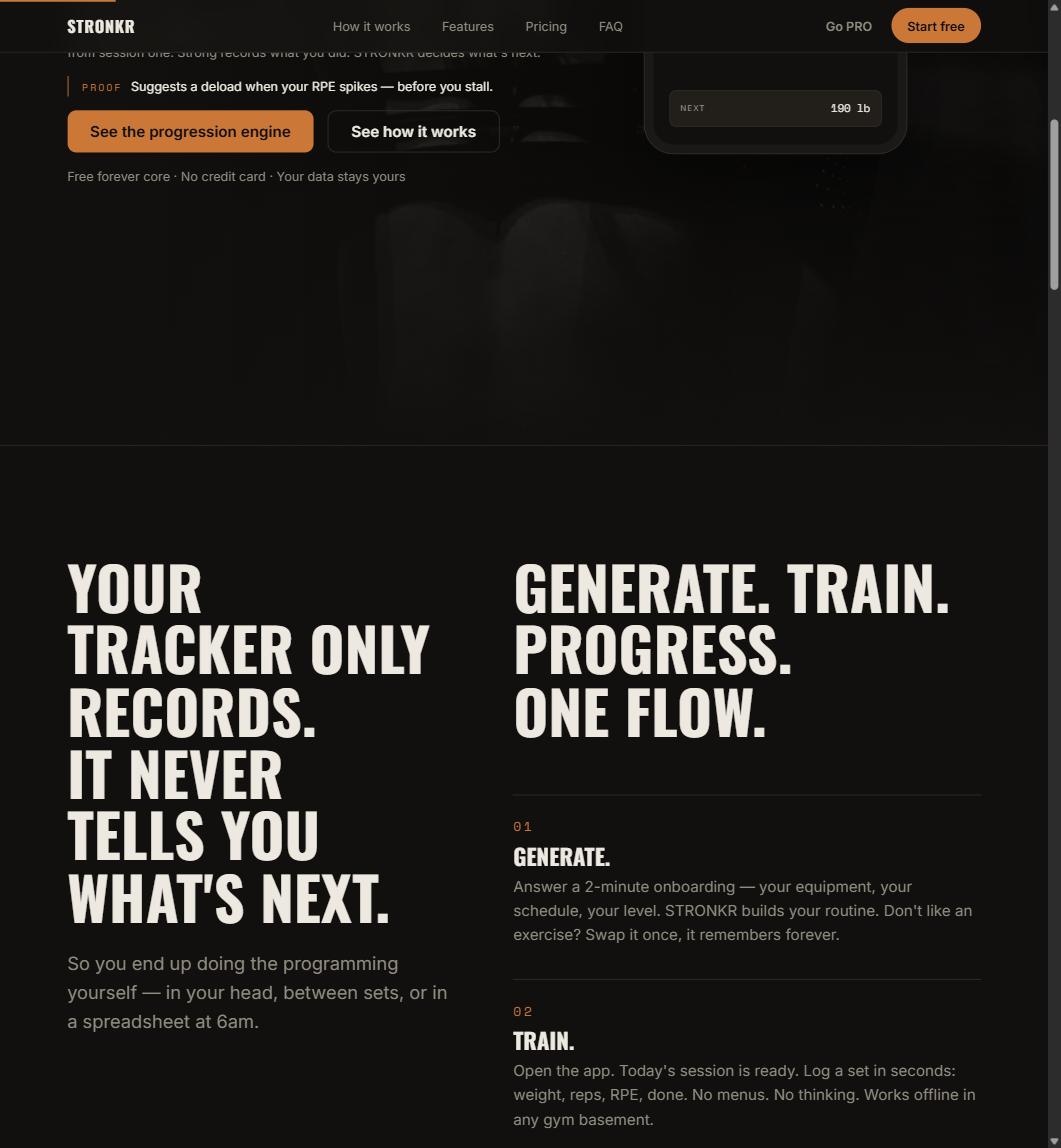
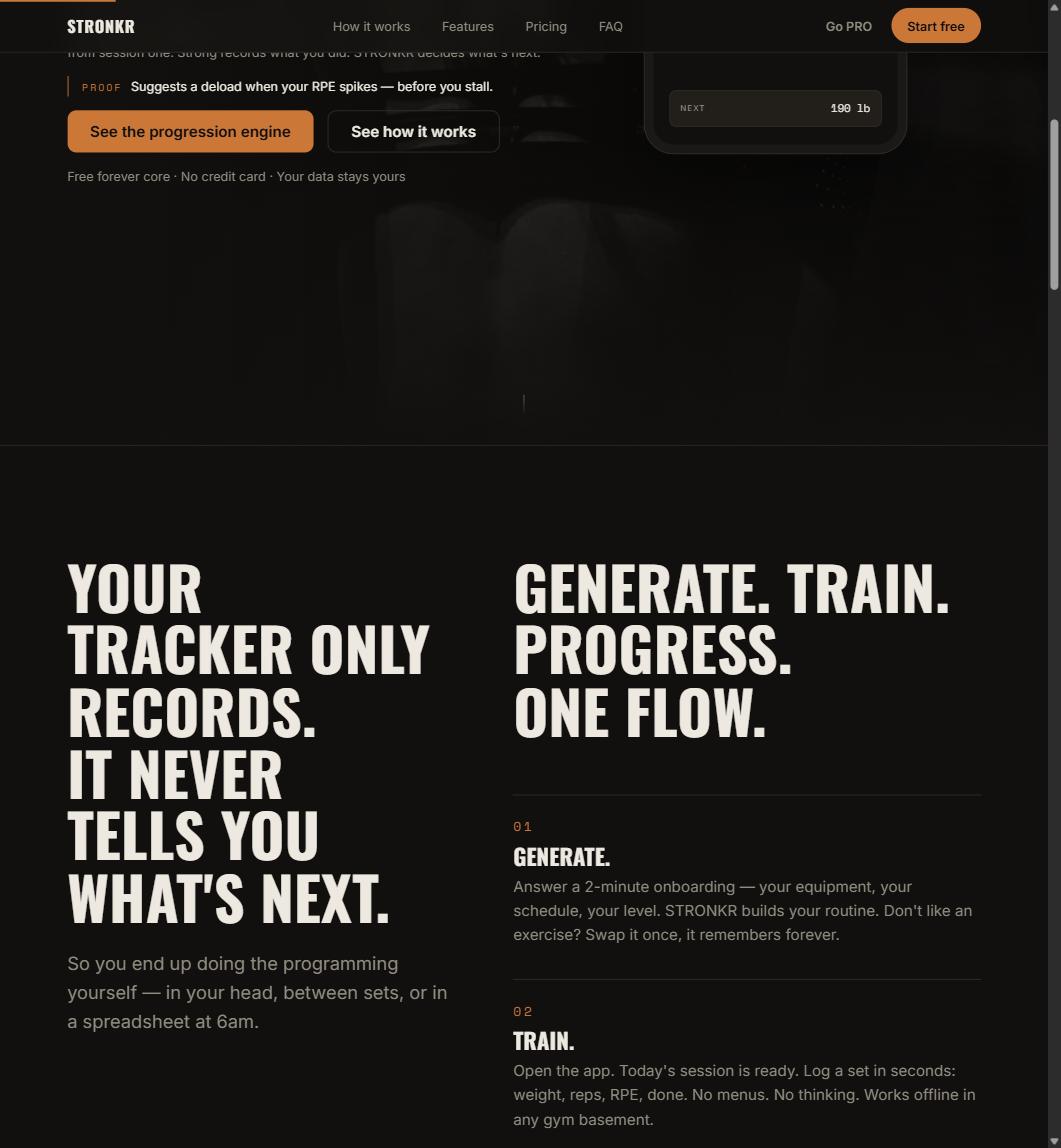
- The nav across the top: How it works, Features, Pricing, FAQ, Go PRO, Start free.
- The headline is the whole positioning in one line: “Strong records what you did. STRONKR decides what’s next.”
- A PROOF line under it, stating that the app suggests a deload when your RPE spikes, before you stall.
- Fine print immediately below the fold-level claim: “Free forever core · No credit card · Your data stays yours.”
- A target mock showing NEXT 190 lb. Not a chart of past sessions. A number for the next one.
- A dedicated block reading “YOUR TRACKER ONLY RECORDS. IT NEVER TELLS YOU WHAT’S NEXT.”
- The numbered flow the product runs on: GENERATE, TRAIN, PROGRESS.
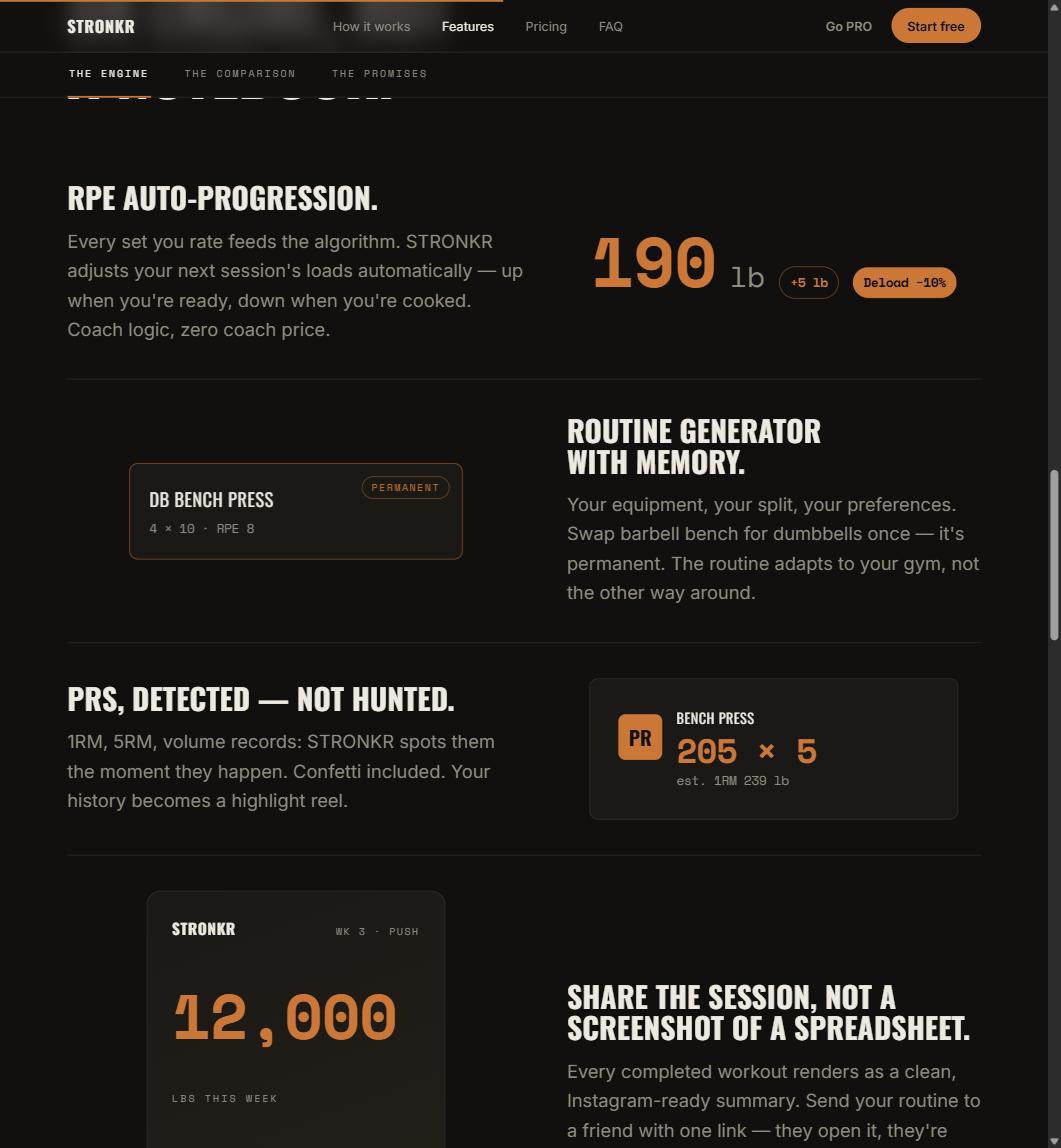
In the app, that last step is the whole difference. You log weight and reps like you always have, rate the set 1 to 10 on the RPE selector, and press COMPLETE SET. The rating feeds the load you are prescribed the next session, either a target increase such as +5 lb, or Deload -10%. The mechanism is covered end to end in what RPE auto-progression is and how it sets your next load.
What does a workout tracker actually do?
It converts your training into a searchable archive, and it is genuinely good at that.
The archive is real work
Set-by-set history, PR lists, volume charts, exercise notes. None of that is trivial to build, and none of it is worthless. A lifter with four years of clean logs has something a lifter with four years of memory does not.
The archive is also where it stops
Everything a tracker produces is descriptive. It tells you what happened. It will show you that your bench has sat at 185 for seven weeks; it will not tell you that seven weeks at 185 with rising effort is a back-off signal rather than a patience problem.
A tracker’s best possible output is a perfect description of a plateau you are still standing in.
What would a programmer have to do instead?
It has to take a position on your next session, which means it needs a method.
A method, not a vibe
Prescription requires a rule for turning today’s performance into tomorrow’s load. Percentage-based programming is one such rule: test a max, run the block at fractions of it. Autoregulation via RPE is another, and it has been studied directly against percentage loading, Helms et al. (2018), in Frontiers in Physiology, compared RPE-based and percentage-1RM loading in periodized programs matched for sets and repetitions.
Stronkr runs the RPE route. You rate each set; the rating drives the next session’s target. That is a method with a literature behind it, not a chatbot improvising a workout at 6am.
The decision has to be specific
“Progress when you can” is not a prescription. +5 lb is. The value of a programmer is that it commits to a number, which is also why so few apps do it, a specific number can be wrong, and a chart never can.
A chart can never be wrong, which is exactly why it is never useful on a Monday morning.
This is the same job description a coach works from, which what a coach actually does breaks down in more detail.
If you want to see the difference rather than argue about it, the routine generator takes roughly two minutes of questions, equipment, schedule, experience level, and returns a routine that already carries progression. It costs nothing and asks for no card.
Why does the difference only show up around month three?
Because early on, linear progression hides the gap.
Novice math works without an engine
At one or two years in, next week’s number is obvious: add five, repeat. Any tracker is sufficient, because the decision is trivial. This is why the tracker category feels complete for so long.
Intermediate math does not
Three to five years in, the increases stop being automatic. Some lifts move monthly, some are stuck, some need to back off before they move again, and they are not on the same schedule. That is the point where the tracker starts handing you data and you start handing yourself a second job: the spreadsheet. The cost of that job is worth naming precisely, which is what the spreadsheet tax does.
The tracker did not stop working. Your training got complicated enough that recording stopped being the hard part.
Is my history wasted if I switch?
This is the real objection, and it deserves a straight answer rather than a sales one.
There is no import
Stronkr does not import from Strong, Hevy, or a CSV you export at midnight. No migration tooling is documented, and there is no point implying otherwise. If you switch, your old archive stays in the old app, readable, exactly as it is.
What that costs you in practice
Less than it feels like. The prescription is built from what you log going forward, and the exercises you care about come back around within a week or two of normal training. What you lose is the continuity of a chart. What you gain is that nobody has to compute Monday’s load, you or a spreadsheet. If you want the point-by-point version against the incumbent, how Stronkr compares lays it out.
Stronkr installs from the browser as a PWA, no app store, no card, and works offline. The progression engine, the routine generator, volume and PR tracking and 90-day history are all in the free forever core. Generate a routine at stronkr.com, log one week, and see whether the number it hands you on session two is the one you would have written in the sheet.
Try auto-regulated training
Stronkr reads your RPE after every set and adjusts next session’s load for you. No spreadsheets, no guessing.
Start training with StronkrFrequently asked questions
What is the difference between a workout tracker and a workout programmer?
A tracker records what you already did: sets, reps, weight, sometimes RPE, then charts it. A programmer takes that same data and returns a decision, the load for your next session. Both store history. Only one of them removes the step where you work out next week's numbers yourself.
Does Stronkr still log my workouts?
Yes. Set logging with weight, reps and RPE, a KG and LBS toggle, warm-up marking, pain reporting and a rest timer are all part of the in-session flow. Volume tracking, automatic PR detection and per-exercise load history are there too. The prescription is added on top of the log, not instead of it.
Can I import my history from another app?
No. There is no documented import from Strong, Hevy or anything else, and pretending otherwise would waste your afternoon. Your old history stays where it is. Stronkr starts from the sessions you log inside it, and its prescriptions are built from that history rather than from anything you bring with you.
Why does my tracker never tell me what to do next?
Because prescribing requires a method and a willingness to be wrong in public. Charting your history is safe: the app shows numbers, you draw conclusions. The moment an app puts a specific load on the bar for you, it owns that call. Most trackers are built to record, not to decide.
Do I need to pay to get the prescription?
No. RPE auto-progression sits in the free forever core, along with the routine generator, ninety-day history, volume and PR tracking and offline use, for zero dollars and no credit card. PRO at $4.99 a month adds full history, personalized deloads, multiple routines and advanced analytics.
Keep reading
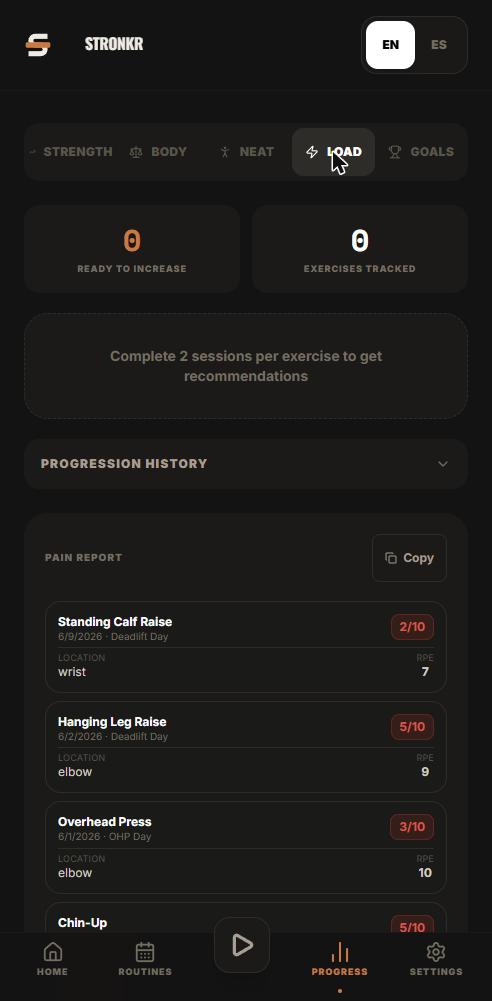
PRs You Didn't Have to Hunt For: Automatic Record Detection
Automatic pr tracking that runs off your normal sets: Stronkr detects 1RM, 5RM, volume and estimated 1RM records without you flagging a single thing.
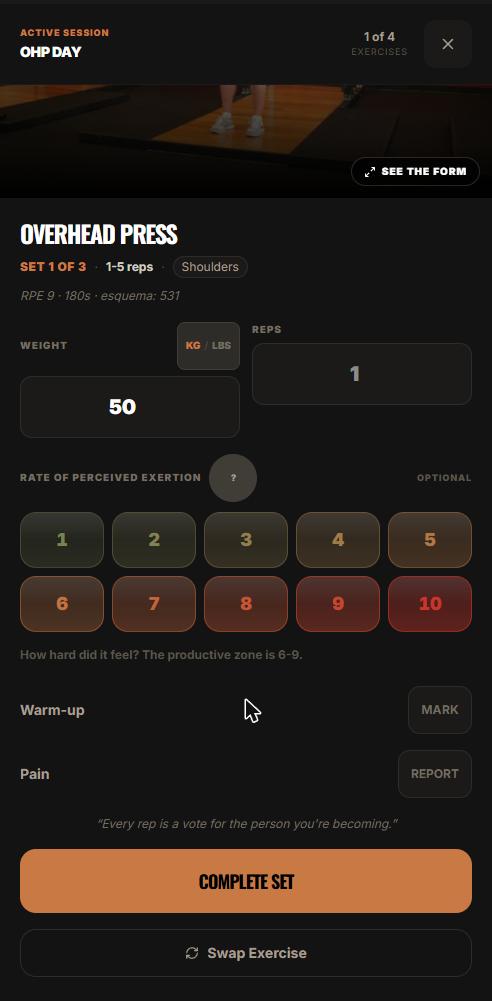
One Session End to End: From Warm-Up to Next Week's Load
A full workout logging flow, set by set: open today's session, log weight, reps and RPE, mark warm-ups, report pain, and see what changes next session.
Progressive Overload Without a Spreadsheet
A progressive overload app should do the arithmetic, not just chart it. How Stronkr turns each set's RPE into the next session's load, no sheet needed.