Progressive Overload Without a Spreadsheet

The Stronkr Founder Founder, Stronkr
6 min read
On this page
Nobody who has trained for three years needs progressive overload explained. You know the principle: do more over time, in some dimension, on purpose. Ask any lifter in the gym and they will define it correctly in one sentence. Then look at their last six months and there is a good chance two of their main lifts have not moved.
A progressive overload app is not useful because it teaches the principle. It is useful because the principle is trivial to state and tedious to execute. The failure is not conceptual. It is arithmetic done inconsistently, at the wrong time, from stale numbers, by a tired person who has not yet had coffee.
This post is about that execution gap: why it opens, what closing it actually requires, and what changes when the load decision is made at the rack instead of in a sheet on Sunday.
Key takeaways
- Almost nobody fails progressive overload from ignorance. They fail it from inconsistent arithmetic.
- Executing it requires effort data, not just weight and reps.
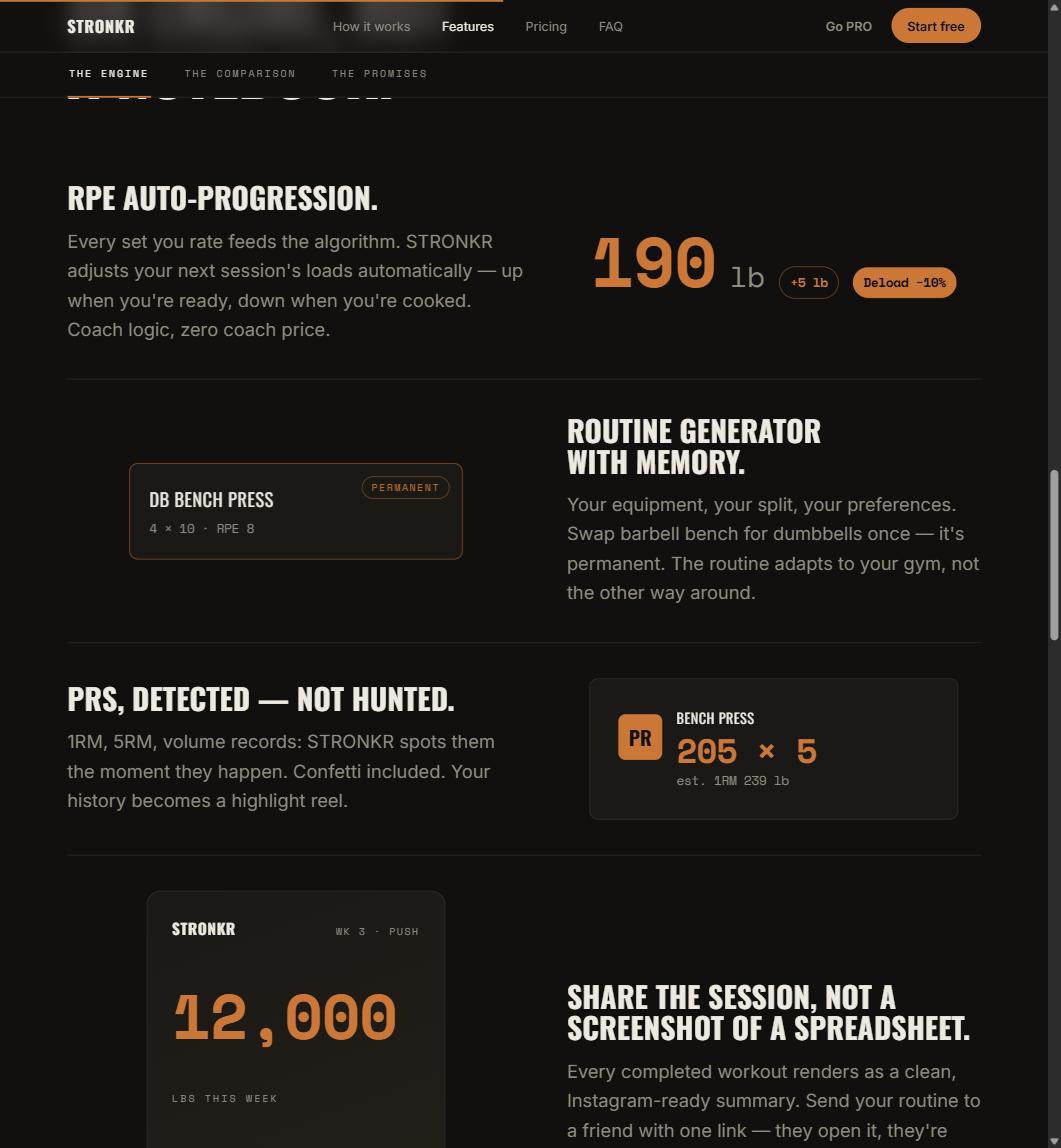
- Stronkr converts each set’s RPE into a next-session target: an increase such as
+5 lb, orDeload -10%. - The decision is made at the moment you finish the set, not in a weekly planning session you keep skipping.
What This Looks Like in Stronkr
The programming step collapses into one screen you were already looking at.
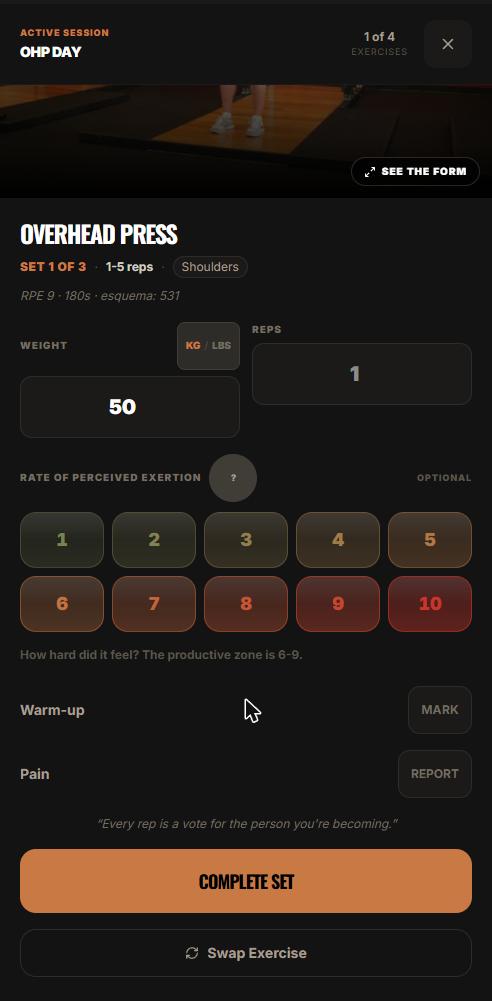
- The header names the session and the lift:
OHP DAY, Overhead Press, Set 1 of 3. You are not choosing what to do, that decision was already made. - Weight and reps go in the two fields, with a KG/LBS toggle beside them. This part your current tracker already does.
- Under that is the RPE selector: 1 through 10, shaded green to red, with a
?that opens the in-app explainer. This is the part that turns a log into a progression input. - Helper text sits beneath it: “How hard did it feel? The productive zone is 6-9.”
- Warm-up MARK flags sets that are not working sets. Pain REPORT is there for the session where something is off.
- The orange COMPLETE SET button. The overload decision for the next session is made from what you just entered here, not later, not in a sheet, not from memory.
- Swap Exercise sits below, for the day the rack is occupied or the movement is not available.
That is the entire user-facing surface of progressive overload in Stronkr: one extra number per set, and a target waiting for you the next time that lift comes around. The mechanism behind it is covered in what RPE auto-progression is and how it sets your next load.
Why does progressive overload fail in practice if everyone knows it?
Because knowing a principle and executing it weekly are different skills, and only one of them is boring.
The principle is one sentence; the execution is fifty decisions
Across four lifts and three sessions a week, you are making something like fifty small load calls per month. Each one needs last session’s performance, a rule, and the honesty to apply the rule when it says hold. Miss a few and the drift is invisible. Miss them for a quarter and you have a plateau with no obvious cause.
The decisions get made at the worst possible moment
The realistic version is not a planning session with a coffee and a clean sheet. It is standing at the rack with 90 seconds of rest left, doing mental arithmetic from a session you half remember. That is where the increments get skipped, repeated, or rounded to whatever plate is nearest.
Progressive overload does not fail because lifters do not understand it. It fails because it has to be executed on a Tuesday, at 6am, correctly.
What does executing it consistently actually require?
Two inputs, and most apps only collect one.
Output tells you what happened
Weight and reps describe the set from the outside. They are necessary and they are what every tracker stores. They also cannot distinguish 225 for five with two in the tank from 225 for five that nearly buried you, which is the exact distinction that determines whether next session should be heavier.
Effort tells you what it cost
RPE in the strength context is anchored to repetitions in reserve: an 8 is roughly two left. Zourdos et al. (2016), in the Journal of Strength and Conditioning Research, introduced the repetitions-in-reserve-based scale for this purpose. Once effort is a number in your log rather than a feeling you had, the next load is derivable instead of debatable.
Weight and reps tell you what the set looked like. RPE tells you what it cost. Only one of those predicts next week.
The rule has to run every session, not when you remember
This is the part a person is genuinely bad at and software is genuinely good at. Consistency is not a virtue you can white-knuckle across a year of work travel and bad sleep. It is a scheduling problem, and it should be solved by scheduling.
How does an app do the overload math for you?
By owning the step between your last set and your next session.
From rating to target
You rate the set. That rating joins the history for that exercise. The engine returns one of two prescriptions for the next session: a target increase, shown as a concrete number such as +5 lb, or Deload -10%. Nothing waits for you to open anything on Sunday.
Why RPE rather than percentages
A percentage-based sheet computes loads from a 1RM you tested at some point, which ages the moment you test it. RPE-based loading reads today. Helms et al. (2018), in Frontiers in Physiology, compared the two approaches in periodized programs matched for sets and repetitions; the practical point for a lifter is that one method requires an accurate max on file and the other requires an honest rating you give anyway.
If you want to see it rather than read about it, the routine generator asks about your equipment, your schedule and your experience level for roughly two minutes, then hands back a routine with progression already wired in. Free, no card.
The sheet was never doing anything you value. It was doing subtraction you could not be bothered to do at 6am.
What about the weeks when adding weight is wrong?
Those weeks are the reason a rule-based sheet quietly stops working.
Overload is not monotonic
A method that only knows how to add is not autoregulation, it is optimism. Real progression includes holding and backing off, and the timing of those is the part lifters get wrong most often. Stronkr’s site states that it suggests a deload when your RPE spikes, before you stall, and the reasoning behind that signal is unpacked in how to know when to deload without guessing.
The evidence of progress should also be automatic
If the app is already reading your loads and effort, it may as well tell you when something notable happened rather than making you scroll for it. That is the case for automatic PR detection, which handles 1RM, 5RM, volume and estimated 1RM without you flagging anything.
And the sheet still closes
The test is simple and you can run it in a fortnight: if the numbers the app hands you are the numbers you would have written yourself, the sheet has no remaining job. That test, and what it costs you until you run it, is the subject of the spreadsheet tax.
Stronkr is a PWA, it installs from the browser, works offline, and there is no app store step. RPE auto-progression sits in the free forever core with the routine generator, volume and PR tracking and 90-day history, at $0 and no credit card. Generate a routine at stronkr.com, log two weeks of honest ratings, and compare the target it gives you against the one in your sheet.
Try auto-regulated training
Stronkr reads your RPE after every set and adjusts next session’s load for you. No spreadsheets, no guessing.
Start training with StronkrFrequently asked questions
What is the best way to apply progressive overload?
Add stimulus in small, repeatable increments and let the increments be governed by what the previous session cost you rather than by a fixed calendar. In practice that means recording effort as well as load, then raising the load only on lifts whose effort says there is room.
Can a progressive overload app really replace my own programming?
It replaces the arithmetic, not your judgement. Stronkr converts your logged RPE into the next session's target, either an increase such as plus five pounds or a deload of ten percent. You still decide whether today is a day to override it, which is what a training log is for.
Why do I stall even though I follow progressive overload?
Usually because the increments keep coming while your capacity to absorb them does not. Adding weight on a schedule ignores accumulated fatigue, so the same load starts costing more until a rep gets missed. The fix is to let effort, not the calendar, decide when the next increase happens.
How small should the jumps be?
Small enough that you can make them repeatedly. Stronkr surfaces targets as concrete increments, for example plus five pounds, applied to the next session for that exercise. The value is not the size of any single jump but the fact that the decision gets made every session without you doing it.
Do I need PRO for progressive overload?
No. RPE auto-progression is in the free forever core, together with the routine generator, ninety-day history, volume and PR tracking and offline use, for zero dollars and no credit card. PRO at $4.99 a month adds full history, personalized deloads, multiple routines and advanced analytics.
Keep reading
PRs You Didn't Have to Hunt For: Automatic Record Detection
Automatic pr tracking that runs off your normal sets: Stronkr detects 1RM, 5RM, volume and estimated 1RM records without you flagging a single thing.
One Session End to End: From Warm-Up to Next Week's Load
A full workout logging flow, set by set: open today's session, log weight, reps and RPE, mark warm-ups, report pain, and see what changes next session.
Reading Your Progress, Load Screen: Push, Hold, or Back Off
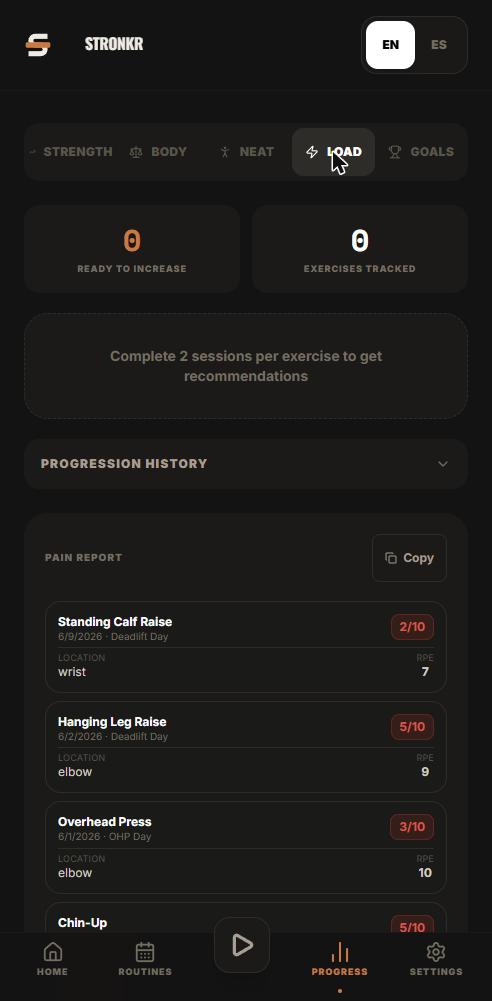
Strength progress tracking that answers a question: how to read per-exercise progression history and the ready-to-increase recommendation.