What Is RPE Auto-Progression? How Stronkr Sets Your Next Load

The Stronkr Founder Founder, Stronkr
6 min read
On this page
RPE auto-progression is the part of Stronkr that decides what you lift next. You finish a set, you rate how hard it felt on a scale of 1 to 10, and that rating becomes the input for the load you are prescribed the next time the exercise comes around. No percentage chart, no arithmetic between sets, no second system to maintain.
Most training apps stop one step short of this. They store the weight, the reps, sometimes even the RPE, and give you a chart. The decision, add five pounds, hold, back off, stays your job. That is why so many lifters who already pay for a logging app still have a spreadsheet open on Sunday night.
This post covers the whole mechanism: what RPE actually measures, what you tap on the set screen, what the engine does with the number, and what shows up the next session.
Key takeaways
- RPE is a 1-10 rating of how hard a set felt, collected on every working set you log.
- That rating feeds the load prescription for your next session, never mid-workout.
- The engine surfaces one of two outcomes per exercise: a target increase such as
+5 lb, orDeload -10%. - Auto-progression is part of the free forever core. It is not the thing behind the paywall.
What This Looks Like in Stronkr
The entire input happens on one screen, during the set you were going to do anyway.
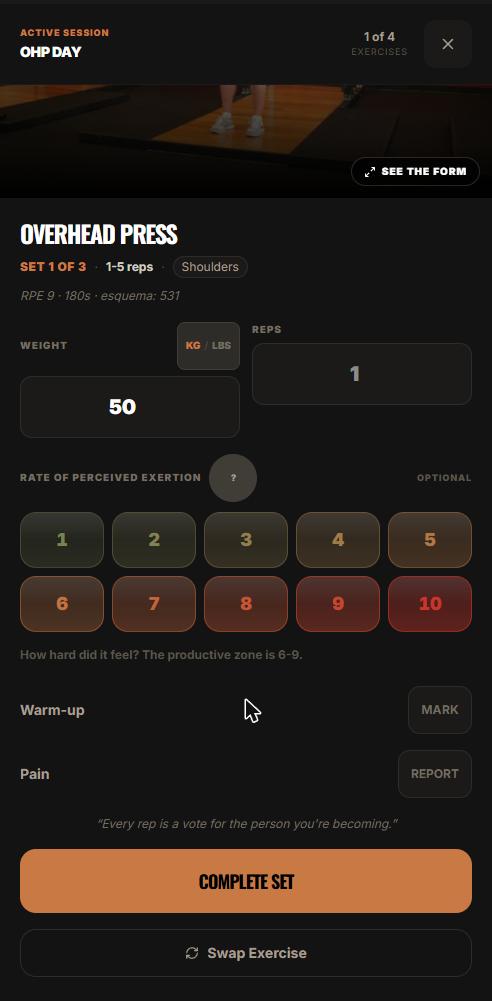
- You open the session. The header names the day,
OHP DAY, and the current exercise, Overhead Press, Set 1 of 3. - You enter weight and reps in the two fields. A KG/LBS toggle sits with them, so you log in whatever the plates in front of you are stamped in.
- Underneath is the RPE selector: the numbers 1 through 10, shaded green through red. A
?button next to it opens the in-app RPE explainer if the scale is new to you. - Below the selector is the helper text: “How hard did it feel? The productive zone is 6-9.”
- Two secondary controls sit alongside the set: Warm-up MARK, for sets that should not be treated as working sets, and Pain REPORT.
- You press the orange COMPLETE SET button. That is it. Weight, reps, one number.
- Below the set block sits Swap Exercise, for the session where the rack is taken or a joint is not cooperating.
The rating is the only thing here that a plain logging app does not already ask you for. It is also the only reason the app can tell you anything about next week.
Why does a subjective rating beat a percentage chart?
Because a percentage is a guess about today made several weeks ago.
What RPE actually measures
In resistance training, RPE is anchored to repetitions in reserve, how many more reps you could have completed before failure. An RPE of 8 means roughly two left in the tank. Zourdos et al. (2016), in the Journal of Strength and Conditioning Research, introduced the repetitions-in-reserve-based RPE scale for exactly this purpose, and Helms et al. (2016), in the Strength and Conditioning Journal, set out how to apply it to programming.
Why percentages drift
Percentage-based loading takes a 1RM you tested at some point and assumes it still holds. It does not account for the week you slept badly, the deadline at work, or the fact that you got stronger three weeks ago and have been under-loading since.
A percentage tells you what you should be able to lift. An RPE rating reports what you actually could.
That difference is the entire case for autoregulation, and it is what makes the number worth collecting.
What does the engine do with the rating?
It converts your logged history for that exercise into a prescription for the next time you meet it.
The two outcomes
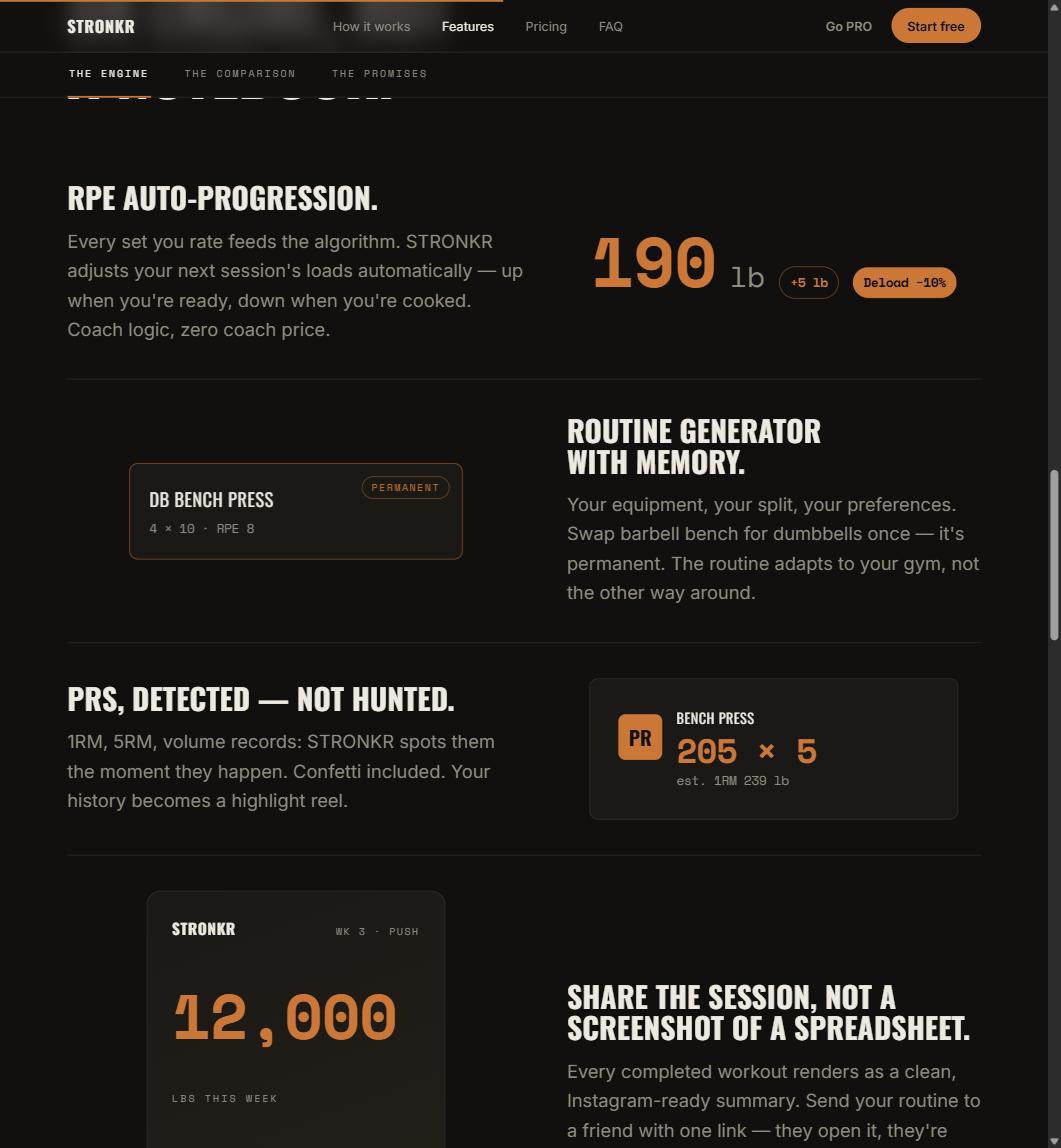
Auto-progression resolves to one of two things. Either a target increase, displayed as a concrete number, +5 lb on the bar, not a vague suggestion to push harder, or Deload -10%. There is no third state where the app shrugs and shows you a graph.
Two outcomes is not a limitation. It is what a decision looks like when something is willing to make one.
What the direction depends on
If a load is coming in comfortably relative to the target, there is room, and the engine takes it. If the same weight is costing you more each week, that is the signal that comes before a stall, not after it. Stronkr’s own site puts it plainly: it suggests a deload when your RPE spikes, before you stall.
That last case is the one lifters miss most often, and it deserves its own treatment: how to know when to deload without guessing goes through the signal in detail.
Why does the new load appear next session and not mid-workout?
Because one set is a noisy sample, and the decision that actually matters is a load decision, not a set decision.
One rating is not a trend
An RPE 9 on your second set could be a bad warm-up, a cold gym, or a training partner talking at you between sets. A pattern across sessions is information. Stronkr treats it accordingly: the rating you give today lands on the prescription you see next session, and the current workout runs as programmed.
The honest version of the constraint
Real-time intra-workout adjustment is not something Stronkr does, and this is a good place to say so rather than let you find out later. The prescription updates between sessions. Everything else about the workout in front of you stays under your hand, including the sets you decide to cut.
If you want to see this rather than read about it, the routine generator takes about two minutes, your equipment, your schedule, your experience level, and hands back a full routine with progression already attached. No credit card is involved at any point in that.
What happens when the same load starts feeling harder?
That is fatigue accumulating, and it is the most useful thing your log knows about you.
The pattern to watch
A fixed weight rated 7, then 8, then 9 across three sessions is not a plateau yet, it is the two weeks before one. A tracker will show you all three numbers and let you draw your own conclusion. An engine reads the direction and prescribes the back-off, which is the difference the whole category argument turns on in workout tracker vs workout programmer.
Do I need to learn RPE before this works?
No, and this objection is worth taking seriously because it is the most common reason people avoid autoregulation entirely.
The scale is on the screen
You are not expected to arrive fluent. The helper text names the productive zone, 6 to 9, on every set. The ? opens an explainer without leaving the session. Your ratings become more consistent within a few weeks, and the engine reads the trend in your history, not one perfect number. If you want the calibration detail first, start with what RPE 8 actually means.
Rating a set is not a test you can fail. It is a measurement that gets more useful the more of them you have.
Stronkr installs from the browser, it is a PWA, so there is no app store step, and works offline in a basement gym with no signal. RPE auto-progression, the routine generator, volume and PR tracking and 90-day history are all in the free tier, in writing, for $0 and no credit card. If the free-tier question is the one holding you up, read why the free tier never shrinks first, then generate a routine and log one session.
Try auto-regulated training
Stronkr reads your RPE after every set and adjusts next session’s load for you. No spreadsheets, no guessing.
Start training with StronkrFrequently asked questions
What is RPE auto-progression?
RPE auto-progression is a loading method where your rating of how hard a set felt determines the weight prescribed for your next session. In Stronkr you rate every set from 1 to 10 after completing it, and the engine converts that history into either a target increase or a deload for that exercise.
Does Stronkr change my weight during a workout?
No. Auto-progression is next-session only. The rating you give today feeds the prescription you see the next time that exercise comes up, not the sets still in front of you in the current workout. Inside a session you decide what to do with what remains, exactly as you would on paper.
Do I have to know RPE before I start?
No. The set screen carries helper text reading: How hard did it feel? The productive zone is 6-9. A question-mark button next to the selector opens an in-app explainer. Your ratings get more consistent with practice, and the engine works from your history rather than from one perfect number.
What outcomes can auto-progression give me?
Two. Either a target increase for the next session, shown as something like plus five pounds, or a deload of ten percent. Stronkr states on its site that it suggests a deload when your RPE spikes, before you stall, which is the case a lifter running a fixed template almost always catches too late.
Is RPE auto-progression a paid feature?
No. It sits in the free forever core alongside the routine generator, ninety-day history, volume and PR tracking, and offline use, at zero cost and with no credit card. PRO, at $4.99 a month, adds full history, personalized deloads, multiple routines and advanced analytics.
Keep reading
PRs You Didn't Have to Hunt For: Automatic Record Detection
Automatic pr tracking that runs off your normal sets: Stronkr detects 1RM, 5RM, volume and estimated 1RM records without you flagging a single thing.
One Session End to End: From Warm-Up to Next Week's Load
A full workout logging flow, set by set: open today's session, log weight, reps and RPE, mark warm-ups, report pain, and see what changes next session.
Progressive Overload Without a Spreadsheet
A progressive overload app should do the arithmetic, not just chart it. How Stronkr turns each set's RPE into the next session's load, no sheet needed.