What Makes a Generated Routine Actually Intelligent
The Stronkr Founder Founder, Stronkr
6 min read
On this page
Most apps that promise an intelligent workout routine mean nothing by it. The word is doing decorative work, a generator produces a plausible split, and the intelligence claim rests on the fact that a computer was involved. That is not a mechanism, it is an adjective. A routine earns the word only if you can name what it does that a printed template cannot: it is built from the equipment you actually have, the days you actually train, your level and the joints you are working around; it substitutes only what it must; it remembers the substitution permanently; and its loads move with the effort you log. Four behaviours, all checkable in the app in about five minutes. Here is each one, concretely.
Key takeaways
- Generated from four inputs you provide: equipment, schedule, experience level and injury areas.
- Substitution is surgical. Only what is contraindicated or unavailable gets replaced; the rest of the program and its progression stay intact.
- A swap is permanent. Change an exercise once and it stays changed for every future session.
- Loads move with your logged RPE, a target increase, or a deload when your ratings spike.
What This Looks Like in Stronkr
The whole mechanism is visible during a roughly two-minute onboarding and the first session that follows it.
- Answer for your available equipment, your training schedule and your experience level. This is the onboarding, and it takes about two minutes.
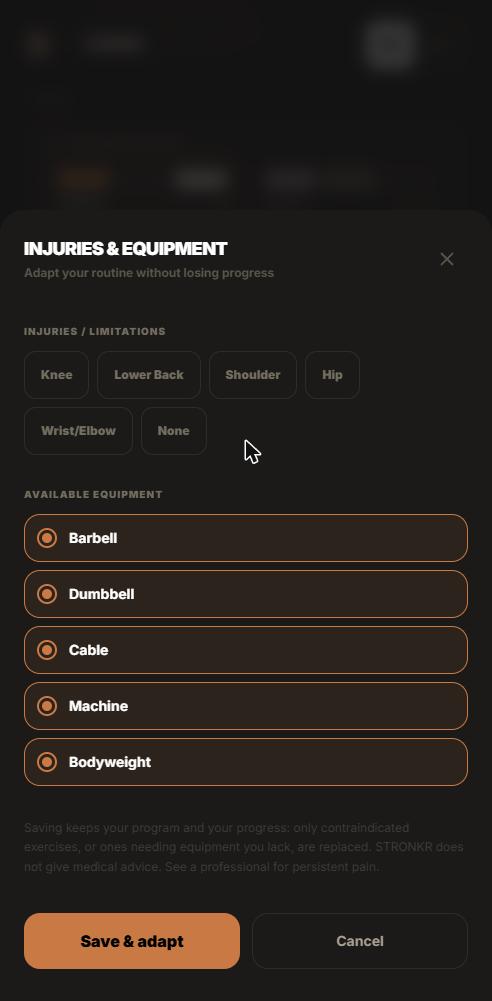
- Select your injury areas on the screen above, alongside the equipment you have access to.
- Let the routine generate from those answers. Routines are unlimited on the free tier, so regenerating when your gym or your schedule changes costs nothing.
- Train the first session. Log weight, reps and an RPE rating from 1 to 10 on the set screen, where the helper text reads: “How hard did it feel? The productive zone is 6-9.”
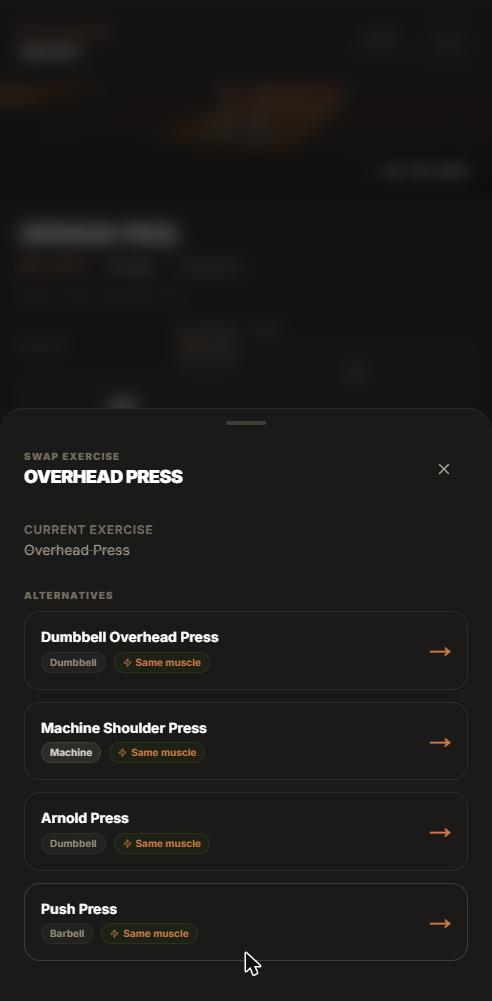
- If a movement is not available today, use Swap Exercise below the set. The swap sheet shows same-muscle alternatives tagged by the equipment they need.
Every one of those steps is a decision the routine makes with information you gave it. None of them require you to open a spreadsheet afterwards.
What does “generated from your constraints” actually mean?
Four inputs, not a questionnaire for its own sake
Equipment decides which movements are possible. Schedule decides how the work is distributed across the week. Experience level decides where the starting loads and structure sit. Injury areas decide what has to be worked around. Those four answers are the difference between a routine built for your situation and a generic split with your name at the top.
The garage-rack case
A lifter with a rack, a barbell and adjustable dumbbells does not need a routine full of machine work with a note saying substitute as needed. Telling the generator what you own means the routine that comes out is one you can actually run on Monday without editing it in the car park.
Intelligence in a routine is not a vibe. It is a list of decisions the software made instead of you.
Why does substituting only what it must matter?
Over-substitution is the common failure
The lazy version of constraint handling is to flag a shoulder and rebuild the entire program around it, which quietly deletes progression you had already built on lifts that were never the problem. Stronkr substitutes what is contraindicated or unavailable and keeps the rest of the program and its progression intact.
Your squat should survive your shoulder
A cranky shoulder is a pressing constraint. It is not a reason to reset your lower-body loading, change your training days, or move to a different split. Restraint is the harder engineering choice and the correct one, training around a cranky shoulder walks through what that looks like in practice.
Constraints as first-class, not exceptions
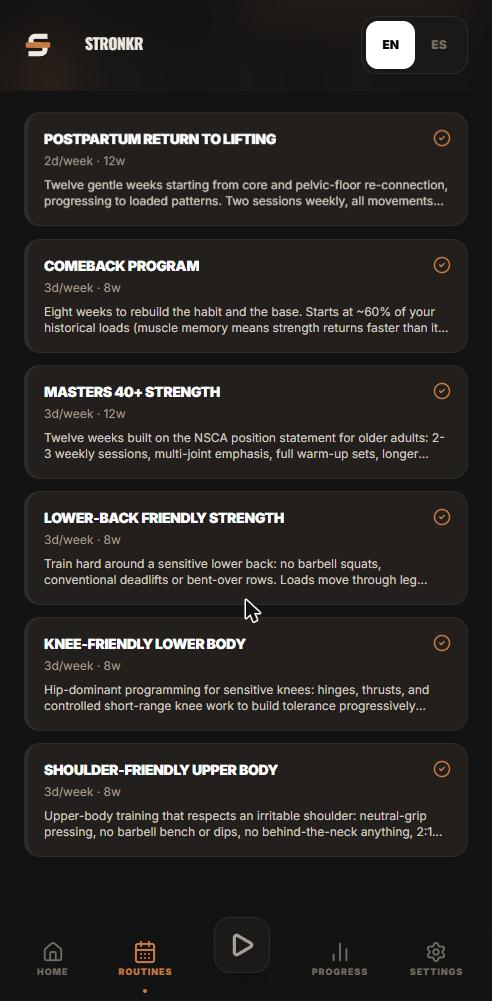
The same principle drives the program library, where six adaptive programs ship with the constraint already designed in rather than left to you, all six are broken down here. Whether you arrive through a program or through the generator, the constraint is part of the plan, not a footnote on it.
If you want to check that behaviour against your own situation, the app installs from the browser and the core is free, with no credit card and no app store.
What happens when you swap an exercise?
The sheet shows same-muscle alternatives tagged by equipment
Open Swap Exercise from the set and you get alternatives that train the same muscle, each tagged with the equipment it requires. That tagging is what makes the choice fast in a gym where the only free rack is being used for curls.
The swap is permanent
Swap once and the app remembers for every future session. This is the detail most trackers get wrong: they treat a substitution as a one-off note on a workout rather than a change to the program. If you have decided that a movement does not work for you, you should have to decide it exactly once. Swap it once and it remembers covers the behaviour in full.
Why permanence is the intelligent choice
A routine that forgets your swap is a routine that makes you re-solve a solved problem every week. Remembering is not a clever feature. It is the minimum bar for calling the routine adaptive, and it is a bar most apps miss.
How do loads move after the routine is generated?
The rating is the input
You rate each set from 1 to 10 after completing it, with a question mark next to the selector opening the in-app explainer if you need the anchors. That rating is not decoration in your history, it is the input the engine reads.
The next-session target is the output
The engine prescribes the load for the next time that exercise comes up: a target increase such as +5 lb, or Deload -10%. The site’s own description is that it suggests a deload when your RPE spikes, before you stall. How RPE auto-progression works is the mechanism in detail.
A generated routine that never changes is a PDF
This is the part that separates a generator from a program. Producing a plausible routine on day one is easy and nearly worthless by week six, because the routine has learned nothing about what actually happened when you ran it. The loop closing, ratings in, next-session loads out, is what keeps the routine current.
A routine that cannot change after you have run it is a document. The intelligence is in what happens on week six.
What “intelligent” does not mean here
No model is inventing your training
The routine is generated from your answers by defined rules, and the progression follows a defined autoregulation rule. Nothing here is improvised session by session. The AI coach on the pricing page is marked “(coming)” and has not shipped, PRO buys first access to it when it exists, which is a different thing from having it.
No human review
Nobody reads your log. There is no coach, trainer or clinician checking your routine, and the joint-friendly programs are programming accommodations rather than medical care. Training around a constraint is not treating it.
Nothing changes mid-session
The adjustment applies to your next session, not to the weight in front of you. A single rating is noisy, and reacting to it in the moment would amplify noise rather than trend.
Install Stronkr free at stronkr.com, spend two minutes on onboarding with your real equipment and your real joints, and see whether the routine that comes out is one you would have had to edit.
Try auto-regulated training
Stronkr reads your RPE after every set and adjusts next session’s load for you. No spreadsheets, no guessing.
Start training with StronkrFrequently asked questions
What makes a generated routine intelligent rather than random?
Four specific behaviours: it is built from your equipment, schedule, experience level and injury areas; it substitutes only what is contraindicated or unavailable; it remembers a swap permanently; and its loads move with the RPE you log. Each one is checkable in the app.
Does Stronkr use AI to generate the routine?
No. The routine is generated from the answers you give during onboarding, equipment, schedule, level and injury areas, using defined rules. The AI coach shown on the pricing page is marked coming and has not shipped, and PRO buys first access to it rather than access now.
If I flag an injury area, does the whole program change?
No, and that restraint is the design. The app substitutes what is contraindicated or unavailable and leaves the rest of the program and its progression intact. Flagging a shoulder should not cost you your squat programming or reset the loads you have built.
Do I have to redo a swap every week?
No. An exercise swap is permanent: swap it once and the app remembers for every future session. The swap sheet offers same-muscle alternatives tagged by the equipment they need, so you make the substitution decision a single time instead of relitigating it every week.
How long does the onboarding take?
About two minutes. You answer for your available equipment, your training schedule and your experience level, and select injury areas, then the routine is generated from those answers. Routines are unlimited on the free tier, so regenerating after your situation changes costs nothing.
Keep reading
Coming Back After a Layoff Without Redlining Week One
A return to lifting after a break fails in week one, not week six. How RPE-based load selection sets comeback loads from what today actually felt like.
Knee-Friendly Lower Body Training That Still Progresses
A knee friendly leg workout you select, not improvise. Stronkr substitutes only what is contraindicated and keeps the rest of your lower body progressing.
Lower-Back Friendly Lifting: Programming Around It, Not Quitting
A lower back friendly workout built for continuity. Stronkr swaps only what is contraindicated, keeps the rest progressing, and sets load from your RPE.